Getting Started with Rexolia
This guide walks you through creating your account and setting up your business for the first time.
1. Create a Free Account
Go to rexolia.com and click Join Free.
- Enter your Business Name and a valid Email Address
- You will receive a verification code at that email, keep it handy
2. Wait for Business Setup
Setup takes 3 to 7 minutes. You will be automatically redirected once it's ready.
3. Create Your Admin Account
Use the same email from step 1 to complete your admin account setup. This is your business's first and main Administrator user.
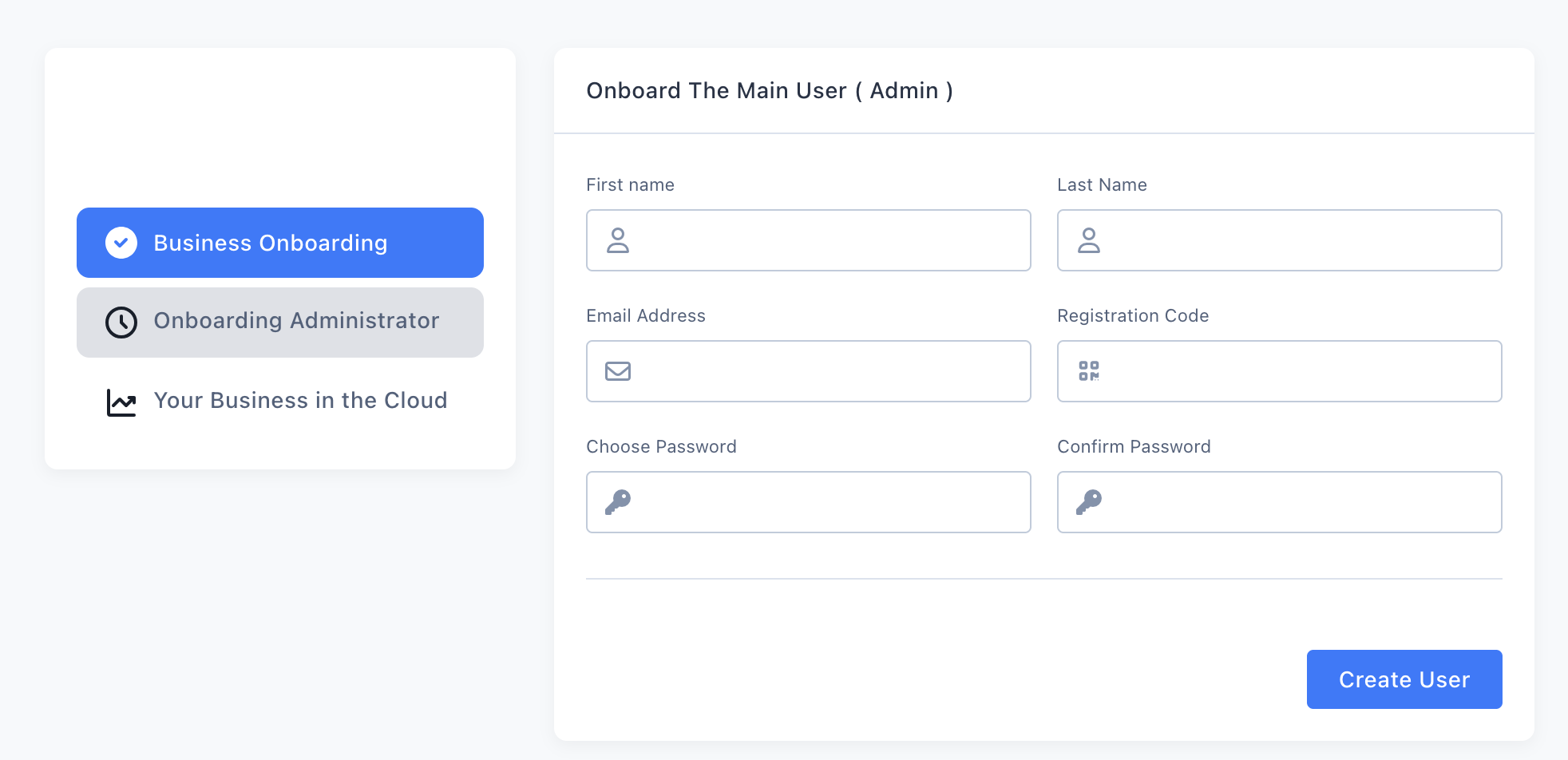
→ For the full walkthrough of this step (registration code, password, and field-by-field guidance), see Onboard the Admin (First User).
4. Log In
Enter your credentials to access your new account.
5. Fill in Your Business Details
You will be prompted to enter your business information and default currency. This information is crucial as it will appear on all your documents: invoices, receipts, sales orders, etc.
Required Business Information
| Field | Description |
|---|---|
| Business Name | Your official business name |
| Tax Id. Number (TIN) | Found on your Business registration certificate |
| Business Address | The physical address where sales take place |
| Phone Number | Business contact number |
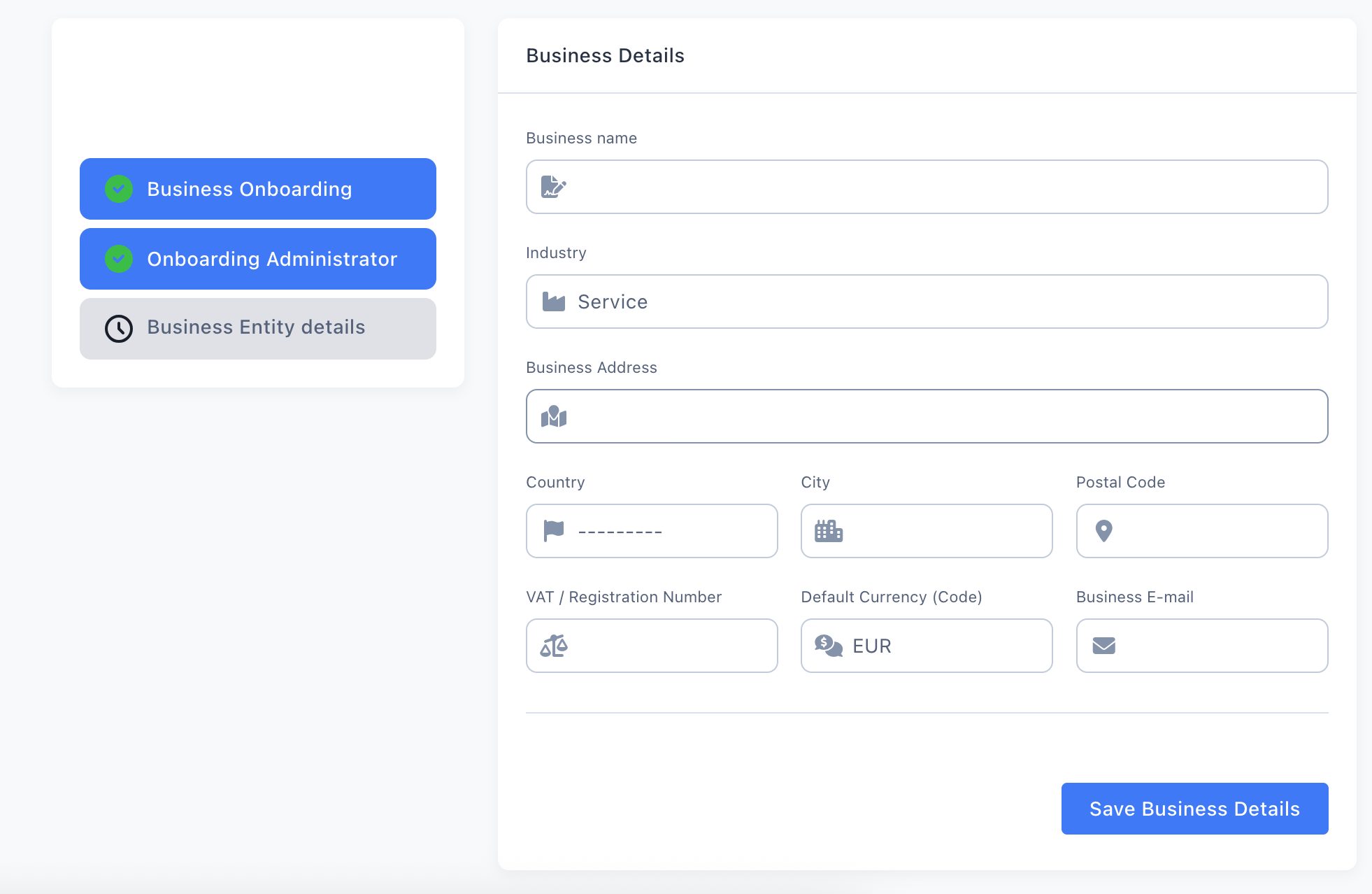
Click Save and your business is ready to use Rexolia.
Skipped business setup, or adding another business later? If you did not create a business entity during signup and need to register it now or you later want to add a new business / branch / headquarter with its own number do it from Settings → Business Settings → Add New Business. See New Business / Branch with a New TIN.